



Loading ...

Mobile and web applications

Apps for mobile devices, plus the API backend that makes serving customers and teams simpler.
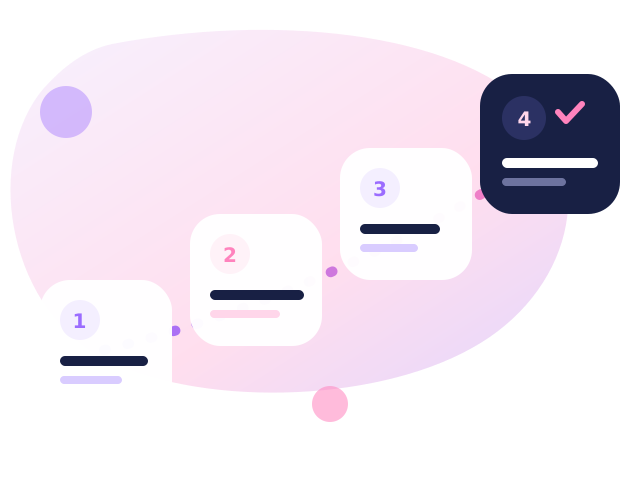
Project stages: analysis, design, development and launch

We design mobile apps around simple access to services, data and user accounts. We can prepare an app for customers, employees or partners, together with the backend, admin panel, notifications and integration with your existing systems.

Launch and growth

Publication, monitoring, feature development and support after launch.

After launch we help with publication, monitoring, fixes and the development of further features. The app can start as an MVP and grow along with its users.

App UX

We design app screens for quick tasks and simple operation.

In a mobile app what counts is a short path to the goal. We design screens, onboarding, forms, notifications and error states so that the user never has to guess the next step.

Backend and API

API, authorisation, database and an admin panel.

The app backend covers the API, login, roles, the database, the admin panel, integrations and security mechanisms. Thanks to that the mobile app is not cut off from the rest of the system.
Mobile apps

An app that makes sense alongside the website

We design mobile and web apps when they add something a website cannot - offline access, notifications, work in the field.

  • UX design for short, repetitive actions,
  • a backend and API shared by the app and the website,
  • push notifications and work with poor coverage,
  • publishing in the App Store and Google Play,
  • updates and error monitoring after launch.

How we run an app project

Four things that decide whether an app is actually used.

UX for one specific task

We establish what the user does most often and cut that path to a minimum. The remaining features move to the background.

A shared API

One data source for the app, the website and the panel. No duplicated logic and no drift between platforms.

Work in the field

Data buffering, operation queueing and synchronisation once coverage is back - important for warehouse and field service work.

Launch and growth

Preparing store materials, rolling out test builds for the team and monitoring crashes along with further releases.

FAQ

Mobile apps - questions

A native app or a web version (PWA)?

If you need presence in the app stores, push notifications and offline work, we choose a mobile app. When access from a phone without installation is enough, a web app (PWA) is cheaper and faster to deliver. We give our recommendation after analysing your needs.

Does the app work on Android and iOS?

Yes, we run the project for both platforms, using a shared codebase wherever possible. We take the differences between the two systems' guidelines into account already at the wireframe stage.

Will the app connect to our system?

Yes - through an API. If your system does not expose an interface, we prepare an intermediate layer that securely exposes only the data needed.

What are the costs of maintaining an app?

Beyond feature development there are developer account fees in the stores and keeping up with new versions of the operating systems. We plan the latter as a fixed, small amount of work each year.

Wondering whether an app makes sense in your case?

Tell us what it should do - we will advise whether a mobile or a web app is the better choice.

Send an enquiry